
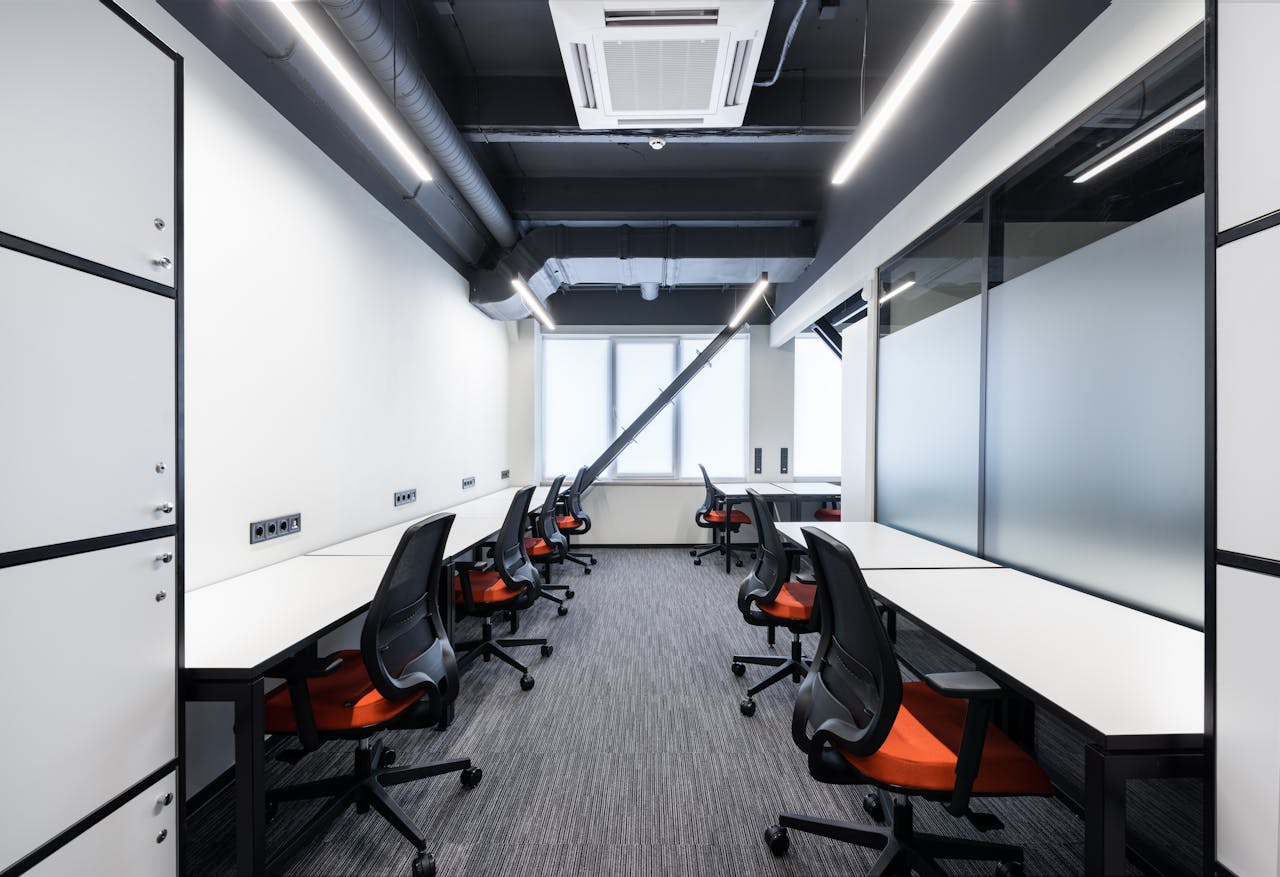
The traditional office setup has undergone significant changes over the past few years, driven largely by the rise of remote and hybrid work models. As businesses continue to adapt to this shift, office designs must evolve to cater to both in-office and remote employees. A well-designed office can help bridge the gap between these two groups, ensuring efficiency, collaboration, and employee satisfaction. In this article, we will explore how to design flexible office spaces that accommodate both remote and in-office employees, fostering productivity and collaboration.
Understanding the Hybrid Work Model
Hybrid work is a model in which employees split their time between working remotely and in the office. This flexible approach has gained widespread popularity due to the improved work-life balance it offers and the technological advances that enable remote work. Hybrid work allows employees to choose when to work in the office and when to work from home, offering the flexibility to better manage their schedules.
The key benefits of hybrid work include:
- Increased flexibility for employees, helping to improve their work-life balance.
- The potential for businesses to reduce overhead costs by requiring less office space.
- Enhanced employee retention, as many people prefer the flexibility that hybrid work provides.
Challenges of Hybrid Work
While hybrid work offers many benefits, it also presents challenges, particularly in communication, collaboration, and equity between remote and in-office employees. Businesses must find ways to integrate both groups seamlessly and ensure that neither remote nor in-office workers feel disconnected or left out of decision-making processes.
Key Principles of Hybrid Office Design
Flexibility in Workspace Design
The foundation of a successful hybrid office design is flexibility. With employees coming and going on different days, office spaces must be adaptable. Modular furniture, movable partitions, and adjustable desks are essential elements of a flexible office design. These features allow spaces to be reconfigured easily to accommodate different teams, meetings, and work styles.
For example, a once-static meeting room could be transformed into a multipurpose space with flexible seating arrangements or even used for group collaboration. Desks that can be adjusted to standing height or converted into collaborative workstations also contribute to creating a versatile environment.
Integration of Technology
Technology plays a crucial role in bridging the gap between remote and in-office employees. High-quality audiovisual systems are essential for hybrid meetings, where both in-person and remote workers can collaborate seamlessly. Meeting rooms should be equipped with large screens, cameras, and microphones to ensure that remote employees can fully participate in meetings without experiencing technical difficulties.
In addition to hardware, businesses should also invest in software solutions like video conferencing tools (Zoom, Microsoft Teams) and project management platforms (Slack, Trello, Asana) to help keep all employees on the same page, no matter where they are working.
Creating Collaborative Spaces for In-Office and Remote Employees
Hybrid Meeting Rooms
Hybrid meeting rooms should be designed to provide equal access to in-office and remote workers. These spaces must be equipped with high-quality cameras, microphones, and screens to ensure that remote employees can fully participate in discussions. Consideration should also be given to the room’s acoustics to avoid sound disruptions and ensure clear communication.
Additionally, scheduling tools that allow both remote and in-office employees to book meeting spaces easily will help eliminate scheduling conflicts and foster a more efficient collaborative environment.
Open Collaborative Zones
Open spaces encourage employee interaction and innovation. For hybrid work models, it’s essential that these spaces also include digital collaboration tools, such as interactive whiteboards, cloud-based document sharing, and other technologies that enable in-office and remote workers to engage in real time.
These shared spaces can be designed for brainstorming, casual meetings, or impromptu discussions. Providing comfortable seating and quiet areas for focused collaboration can foster a creative atmosphere while still enabling efficient group work.
Providing Private and Quiet Spaces
Focus Zones for Deep Work
While collaborative spaces are essential, it’s equally important to have quiet areas where employees can focus and perform tasks that require deep concentration. Private booths or soundproof rooms are valuable features in a hybrid office setup, giving employees a place to retreat for focused work without distractions.
These spaces should be designed to offer comfort and privacy, ensuring employees have a productive environment in which they can concentrate fully.
Dedicated Phone and Video Call Rooms
With hybrid work, employees often need to take phone calls or video conferences from the office. Providing dedicated spaces for these activities ensures that employees can participate in calls without disturbing their colleagues. These rooms should be soundproofed, well-lit, and equipped with reliable video conferencing tools.
Balancing In-Office and Remote Employee Needs
Desk Sharing and Hot Desking
In a hybrid environment, not every employee will be in the office every day. Desk sharing, or hot desking, allows businesses to maximise office space and give employees the freedom to choose where to sit on any given day. To support this, flexible desk setups should be available that can accommodate different needs, from standing desks to collaborative workspaces.
Hot desking can also be complemented by booking systems that let employees reserve their desks in advance, ensuring everyone has the space they need.
Personalisation and Employee Well-Being
Even in a flexible office, personalisation plays a key role in employee satisfaction. Allowing employees to personalise their workspaces, whether through plants, artwork, or adjustable furniture, can enhance their sense of ownership and comfort. Incorporating natural light, ergonomic furniture, and green spaces also contributes to overall well-being and job satisfaction.
The Role of Digital Tools in Hybrid Workspaces
Virtual Office Platforms
While physical office design is crucial, digital tools also play a significant role in supporting hybrid work. Platforms like Slack, Microsoft Teams, and Zoom allow employees to stay connected, collaborate, and communicate regardless of their physical location. These tools foster a sense of community and ensure that remote workers are as engaged as those in the office.
Additionally, virtual office platforms such as Gather or Sococo help recreate the office environment by allowing employees to interact in real time, move between rooms, and “bump into” each other digitally, encouraging spontaneous conversations and collaboration.
Seamless Communication Across Work Locations
Communication is at the heart of any successful hybrid office. Businesses should implement systems that make it easy for employees to communicate across locations. From real-time messaging to integrated video conferencing, communication should feel as effortless as possible. This ensures that all team members, whether in-office or remote, feel equally included in decision-making and brainstorming sessions.
Design Considerations for Employee Health and Safety
Health and Safety Protocols in Hybrid Offices
Maintaining a safe and healthy workspace is essential for both in-office and remote employees. In the office, this includes ensuring proper ventilation, implementing sanitisation stations, and managing office density through scheduling systems. Health and safety also extend to employee well-being, with offices offering comfortable seating, clean spaces, and designs that promote physical and mental health.
Promoting Mental Health through Design
Employee wellness should be a priority in the office design process. Spaces designed for relaxation, quiet reflection, or informal conversation can reduce stress and improve mental well-being. Access to natural light, comfortable seating, and green spaces can also improve overall morale and productivity.
Implementing Flexibility Through Smart Design Choices
Adjustable Furniture and Ergonomic Designs
Offering adjustable furniture is one of the most important design choices for a hybrid office. Ergonomic chairs, standing desks, and flexible workstation setups allow employees to choose the configuration that best suits their workday. These features are especially valuable for hybrid employees who may need to quickly adapt to different work environments.
Maximising Multi-Use Spaces
Designing spaces that serve multiple purposes is another strategy for creating a flexible office. Meeting rooms can double as quiet zones, lounge areas can be reconfigured for group work, and individual desks can be used for collaborative brainstorming. A well-designed office space maximises the functionality of every area, ensuring no space goes unused
Measuring the Success of a Hybrid Office Design
Employee Feedback and Continuous Improvement
The key to a successful hybrid office design is regular employee feedback. Businesses should actively solicit input to understand how the space is being used, what works well, and what needs improvement. By making adjustments based on this feedback, companies can continually optimise their office environment.
Tracking Productivity and Collaboration Metrics
It’s important to track how hybrid office design impacts productivity and collaboration. Metrics such as employee engagement, meeting participation, and project completion can offer valuable insights into the effectiveness of the office design.
Conclusion
Redesigning offices for a hybrid workforce requires a balance between flexibility, technology, and employee well-being. By embracing adaptable layouts, incorporating cutting-edge technology, and creating spaces that support both collaboration and individual focus, businesses can foster an environment that maximises productivity and employee satisfaction. As the hybrid work model continues to evolve, so too must office designs, ensuring that all employees, whether remote or in-office, have the tools and space they need to succeed.